The first video platform that organizes footage the way you shot it.
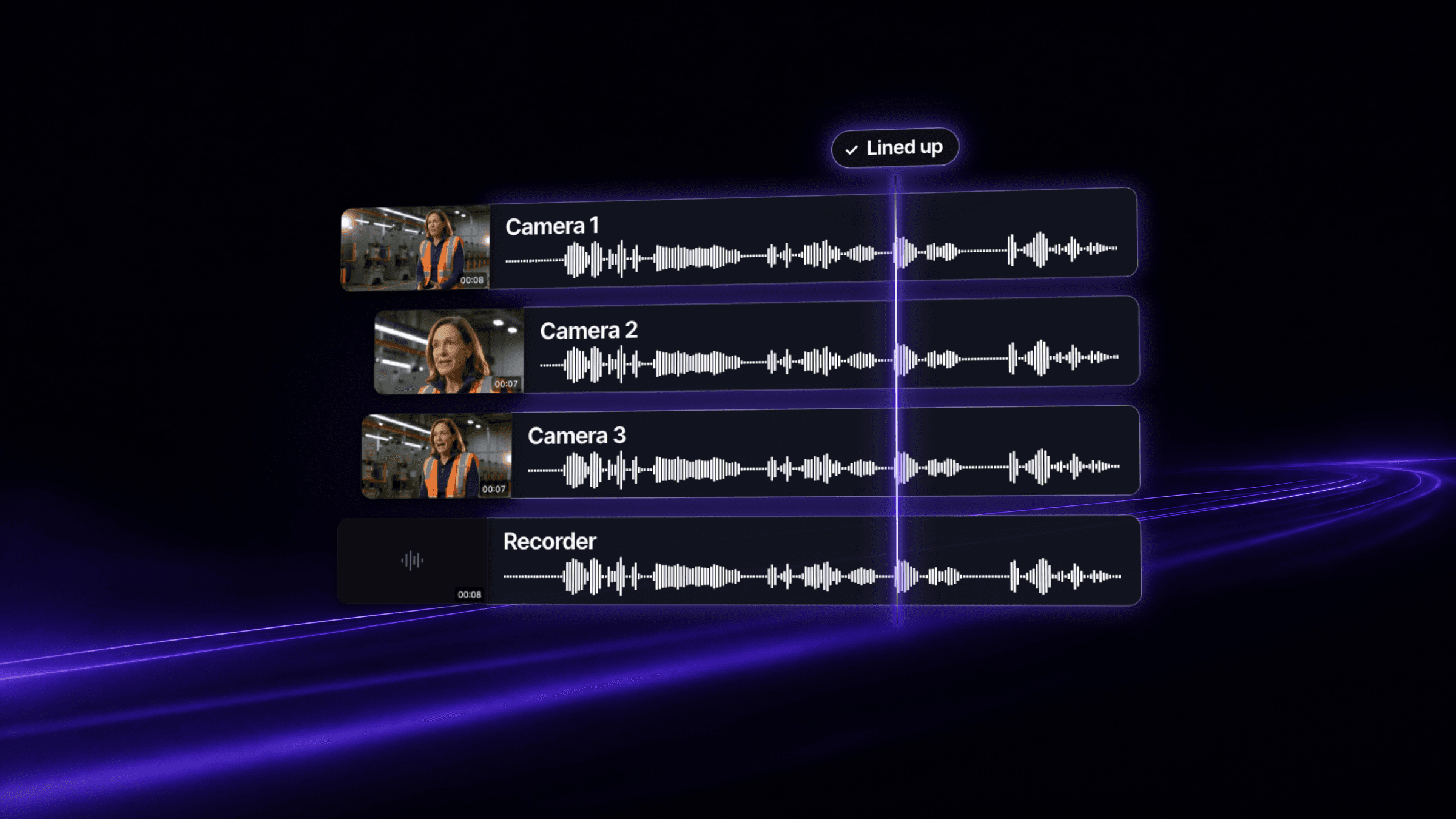
Stacks makes Vidloft the first video platform that organizes footage the way you shot it. Upload everything from a multi-camera shoot and Vidloft automatically works out which footage belongs to which interview, with no timecode and no clapper. Each interview opens as one stack, named for who's speaking, with every camera angle and mic in one player. Stacks is on for every Vidloft customer.
The problem
You think about a shoot as the people in it. The CEO interview. The customer story. The panel.
The footage doesn't come back that way. A wide camera, a close-up camera, maybe a third on a slider. A lav on every speaker and an audio recorder running in the corner. Then a drive with dozens of files named things like C0042 and ZOOM0007, and nobody remembers which interview is which.
Before anyone can watch a single interview, somebody has to sort that pile back into the interviews you actually shot, then line up every camera and mic, take by take. Crews clap a slate at the top of every take so there's something to match later. Bigger productions run timecode to every camera. Everyone else drags clips along a timeline, one interview at a time, until everything lines up.
Most teams don't have an editor on hand for that. So the footage sits in a folder of file names until someone does, and when it goes wrong, you find out a week later, when the words and the mouth don't match.
Why we built it this way
We didn't want a faster way to line up clips. We wanted your project to look the way you already think about your shoot, one interview at a time.
Lining clips up by hand means someone has to find the files that go together, gather them up and match them, one interview at a time. That's the slow part, so Stacks skips it. Upload everything at once and Vidloft automatically works out which footage belongs to which interview, then lines up every camera angle and recorder in it on its own. No timecode. No clapper. Nobody lining up clips.
That's why we call Vidloft the first video platform that organizes footage the way you shot it. No other video platform can do that.
We also decided you shouldn't have to watch it happen. There's no status to check, no settings to tune and nothing to approve. You open the project and the interviews are there.
And we kept the edit where it belongs. You can watch any angle you like, but your editor still makes every cut. Stacks just means they start from your interviews, with every camera angle already in place, not a folder of loose files.
We're not the only ones who noticed where multi-camera time goes. Researchers from Disney Research and Carnegie Mellon studied how a professional editor works with footage from many cameras. Here's what they found.
Research receiptBuilt this way because Arev, Park, Sheikh, Hodgins & Shamir, Automatic Editing of Footage from Multiple Social Cameras, ACM Transactions on Graphics 33(4), SIGGRAPH 2014 (Disney Research, Carnegie Mellon, IDC Herzliya) found a professional editor spent a significant amount of time just sorting, filtering and reviewing footage from many cameras. Why it works
How it works
- Upload the whole shootDrop every file from the shoot into your project at once: camera footage, recorder audio, B-roll and all. There's nothing to label or sort first.
- Vidloft automatically sorts it into interviewsVidloft works out which cameras and recorders were rolling together, so it knows which footage belongs to which interview, and lines them up. No timecode, no clapper, no settings.
- Each interview becomes a stackEvery angle and every mic from one interview folds into a single stack under Talks and interviews, named for who's speaking. Eight interviews show up as eight stacks, not dozens of files.
- Watch any angleOpen a stack and switch cameras while it plays. The recorder's audio stays pinned, so the sound holds steady while the picture changes.
Each stack tells you what's inside at a glance, like "3 angles + audio". A coverage strip above the timeline shows when each camera and recorder was rolling, so you can see which angles cover which moments. You can rename any stack. Long recorder files start playing quickly, even on your phone.
Watching an angle doesn't change your edit. Your editor still decides which shot goes where, and you review the finished cut the same way you always have.
Who it's for
Stacks is for any team that films people talking with more than one camera. Marketing teams shooting customer stories and product interviews. Internal comms teams filming leadership updates and town halls. Recruiting teams capturing employee stories. Event teams filming panels and keynotes from more than one position.
You don't need to be an editor to use it. You never deal with files, timelines or timecode. You open the project and find your interviews, the way you'd describe the shoot to a colleague. And whoever used to sort the footage and line up the cameras gets that part of the job back.
New to Vidloft?
See how teams like yours make more on-brand video without hiring.
Already a Vidloft customer?
- Open any project with a multi-camera shoot
- Open a stack under Talks and interviews
- Switch angles while it plays
What's next
Stacks launches alongside Smart Upload, which sorts the rest of your shoot into talks, B-roll, audio, photos and documents. Together, they turn a drive full of files into a project you can actually use.
The best way to see it is your next shoot. Upload everything, open the project and press play on any interview. Then tell us what else slows your shoots down. Your requests shape what we build next.