How Often to Post Company Videos on YouTube (Without Burying Your Last One)
Space long-form company uploads 48 to 72 hours apart and release the strongest video first, so each one gets its own push instead of sharing one. For a conference with 14 session videos, that means one long-form video every two to three days for about five weeks, with Shorts on the off days and a recap at the end.
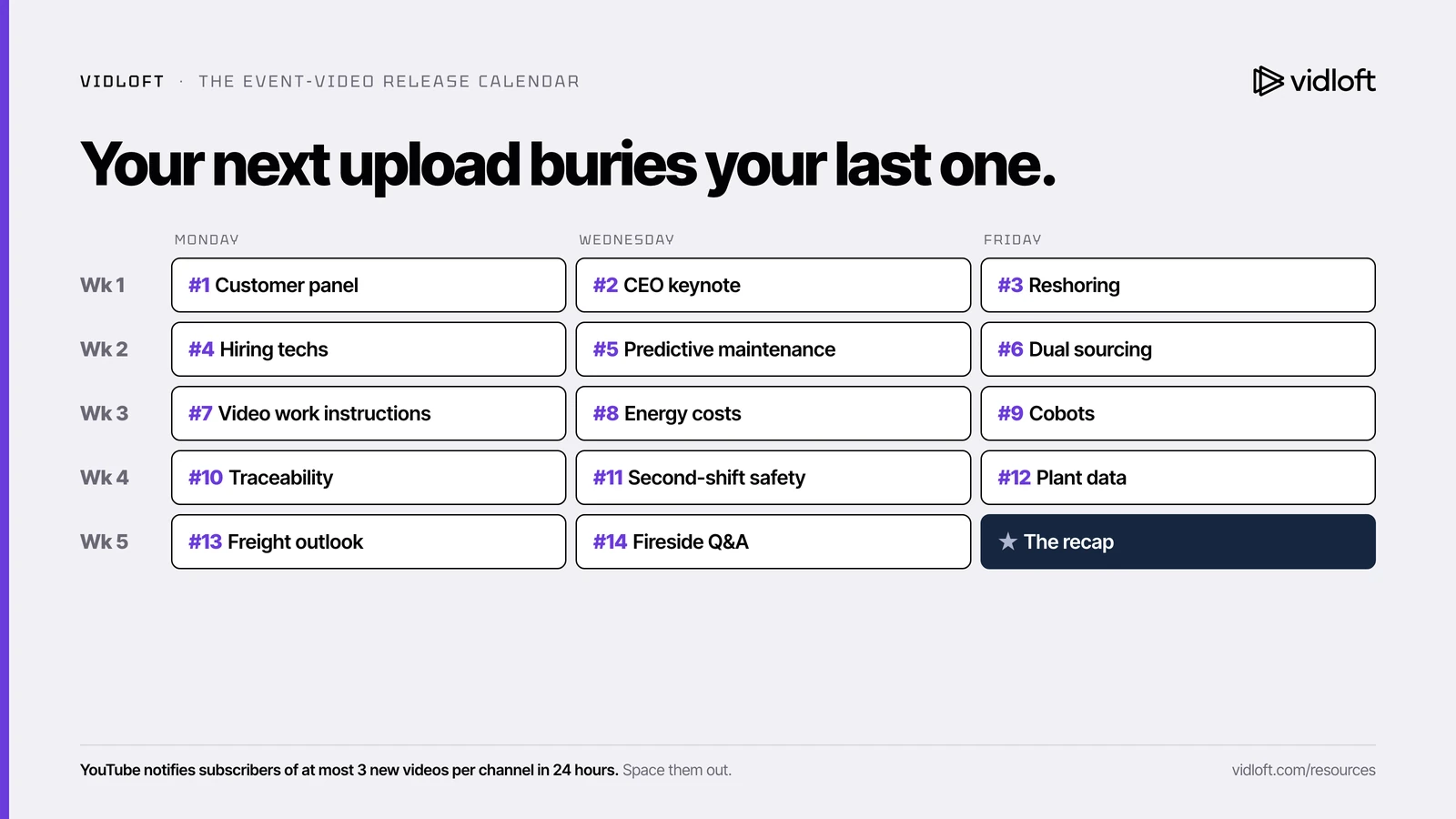
The Monday dump
The agency delivers on a Friday. Fourteen session recordings from the annual operations summit, captioned, color-graded and cleared by legal.
Monday, 9 a.m., all 14 go live. A playlist. A LinkedIn post. An email to sales: "Every summit session is now on YouTube!"
By Thursday the keynote has 700 views. The dual-sourcing session, the one your two biggest target accounts would actually care about, has 14. Sales shared the playlist once and moved on.
Dropping all 14 conference session videos on Monday guarantees 13 of them die. Not because they're bad. Because nobody gave them a launch.
So what? Companies spend months making event video and about eight minutes deciding how to release it. Here's how often to post, why, and a five-week release calendar you can copy for your next event.

Why your next upload might be hurting your last one
Teams running several channels report that a new long-form upload pulls traffic away from the previous one before YouTube has finished testing it. YouTube says each video is judged mostly on its own, so treat this as a field report, not a rule.
We read thousands of threads where marketers trade notes on what they've actually tested. On upload frequency, the notes line up:
- One operator reported that spacing long-form uploads 48 to 72 hours apart earned more views per video, and saw the same thing on two separate channels.
- Another reported that impressions per video improved after cutting back to two or three quality videos a week.
- Their theory: a new video spends its first days being shown to small groups of viewers. Upload again too soon and the new video competes for the same audience before the last one has found its feet.
Now the other side. Todd Beaupré, who leads growth and discovery at YouTube, has said that "for the most part, the algorithm for Discovery is focused more on individual videos." Some practitioners say frequency doesn't matter at all if the content is excellent. And Shorts seem to play by different rules, where volume appears to help.
So we're not claiming YouTube punishes back-to-back uploads. The people who test this for a living mostly space out their long-form videos, and the practical case holds even if the algorithm doesn't care.
Three reasons to space uploads that don't depend on the algorithm
You can only run one push at a time, YouTube caps notifications, and your sellers need a fresh reason to reach out.
- One targeted push at a time. A good launch means LinkedIn posts, rep emails, a newsletter slot and maybe a small paid boost, all aimed at the right buyers. (Our 72-hour launch plan lays it out.) Fourteen videos on one day get one push split 14 ways, which is no push at all.
- YouTube caps notifications. This part is documented. According to YouTube Help, viewers get a maximum of 3 new video notifications from each channel in a 24-hour period, and if you publish more than 3 videos in a short time, YouTube may stop sending notifications for 24 hours. The Monday dump can earn your subscribers a very quiet Monday.
- Your sellers need a reason to write. One video every two or three days is five weeks of fresh, relevant links to send target accounts. Fourteen on one day is one email.
The rule is about spacing, not quota. Posting twice a month is fine. When you have a batch to release, cap it at two or three long-form videos a week.
The event-video release calendar
Rank the sessions, release the strongest first, then one long-form video every two to three days, with Shorts on the off days and a recap last. Fourteen sessions fill about five weeks.
Step 1: Rank the sessions
Score each session from 1 to 3 on four questions and sort by total. Ties go to the session with a customer on stage.
| Question | Scores a 1 | Scores a 3 |
|---|---|---|
| Does the title name a buyer's problem? | "Q3 Innovation Update" | "Cutting changeover time in half" |
| Does it get to the point fast? | Five minutes of thank-yous | Problem stated in the first line |
| Who's talking? | Internal VP reading slides | A customer, or a name buyers know |
| Will it still be useful in six months? | Tied to this year's news | Evergreen how-to |
Then tag each session with a theme (say Automation, Supply chain, Workforce, Strategy). You'll need those tags when something takes off.
Step 2: Fill the calendar
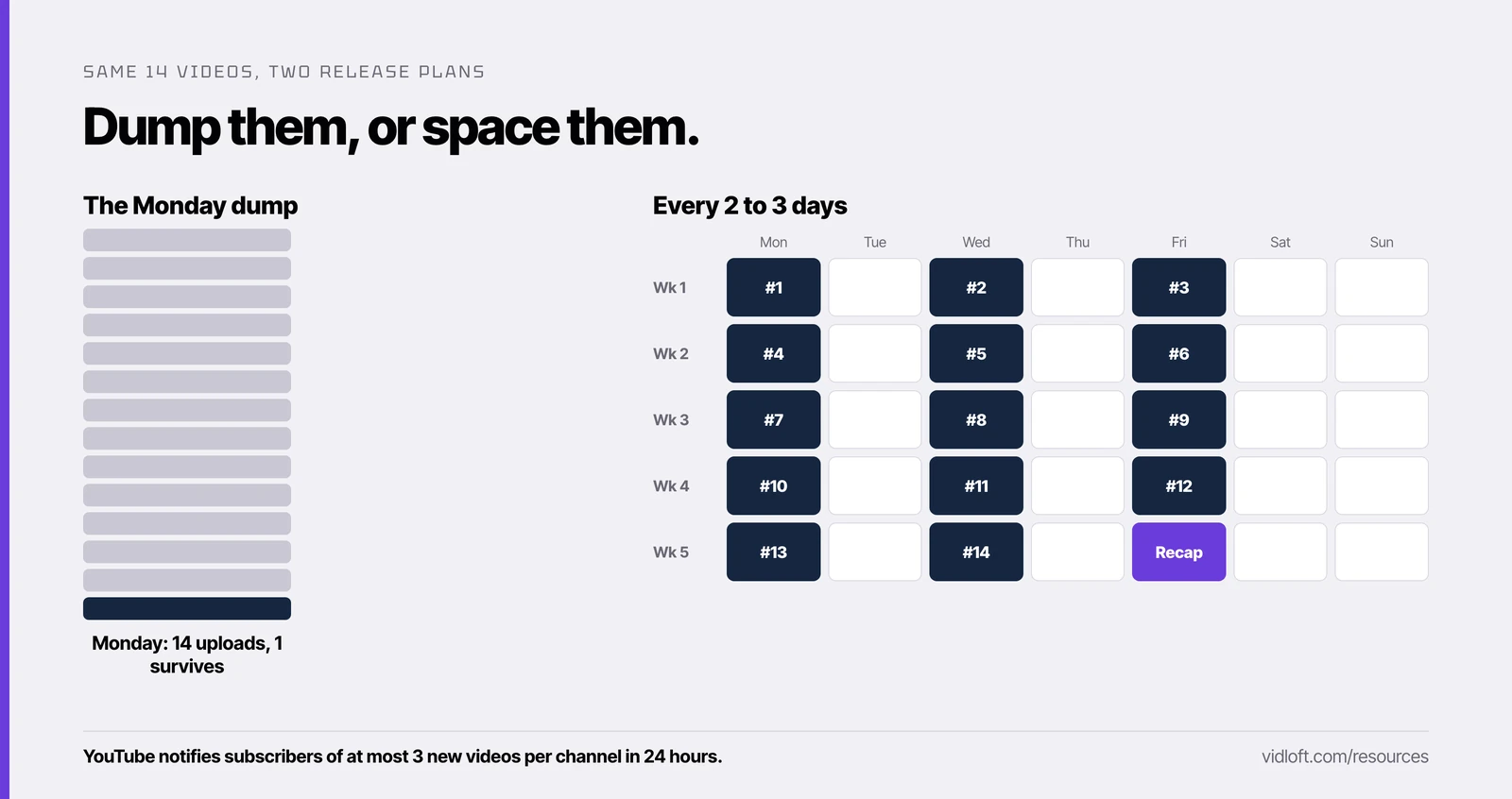
Here's a worked example for a 14-session manufacturing summit, publishing Monday, Wednesday and Friday. That's two days between most uploads and three over the weekend.
| Week | Monday | Wednesday | Friday |
|---|---|---|---|
| 1 | #1 Customer panel: cutting changeover time (Automation) | #2 CEO keynote: the plant floor in five years (Strategy) | #3 Reshoring and your supplier base (Supply chain) |
| 2 | #4 Hiring maintenance techs when nobody applies (Workforce) | #5 Predictive maintenance pilot results (Automation) | #6 The dual-sourcing playbook (Supply chain) |
| 3 | #7 Video work instructions for new hires (Workforce) | #8 Energy costs and the plant P&L (Strategy) | #9 Cobots on a mixed-model line (Automation) |
| 4 | #10 Traceability for regulated parts (Supply chain) | #11 Safety culture on second shift (Workforce) | #12 Plant data without a data team (Automation) |
| 5 | #13 Freight and logistics outlook (Supply chain) | #14 Fireside chat Q&A (Strategy) | Recap: the summit in four minutes |
The order follows the rank with one tweak: no theme runs twice in a row, so every theme keeps a related session in reserve.
Shorts go on the off days (Tuesday, Thursday, the weekend). Cut each one from the opening of that week's long-form video and link it back. Our Shorts post explains why the opening, and why the link matters. If Shorts really do reward volume, the off days are where your volume belongs.
The recap goes last, not first. By week five you know which moments people actually watched, so build the recap from those and point it at the full playlist. On day one you'd be guessing.
Step 3: Copy the template
| Slot | Publish date and time | Video | Rank | Theme | Short (date) | Push owner | Status |
|---|---|---|---|---|---|---|---|
| 1 | Mon, 10 a.m. | Session title | #1 | Theme | Tue | Name | Scheduled |
| 2 | Wed, 10 a.m. | Session title | #2 | Theme | Thu | Name | Draft |
The push owner column matters most.
A scheduled video with nobody assigned to promote it is just a slower Monday dump.
Step 4: Schedule everything in one afternoon
YouTube has a built-in feature for this called scheduled publishing. In YouTube Studio, upload the video, pick Schedule on the visibility step, and set the date, time and time zone. The video stays private until it goes live. Load all 14 in one sitting, each with an approved backup title and thumbnail for each.
When one takes off: the breakout rules
Feed the winner. Follow a breakout with the most closely related video, not the next one on the list.
Check YouTube Studio two days after each release. When a video is clearly ahead of your other recent uploads at the same age, it's a breakout. Then:
- Pull the closest related session into the next slot. Same theme, ideally the same problem. People who just watched "cutting changeover time" are the right audience for "cobots on a mixed-model line." You can change a scheduled publish time in YouTube Studio, so this is a two-minute edit.
- Don't publish early. Keep the gap, or stretch it to three days. The breakout is finding new viewers right now. Let it.
- Link the pair. Once the related video is live, add it to the breakout's end screen and pinned comment.
- Cut a second Short from the breakout.
- Tell sales. A breakout is your market telling you what it cares about this month. That's the next outreach email.
If a video flops, don't reshuffle the whole calendar. Swap in its backup title and thumbnail and keep the schedule.
The Vidloft take
A conference isn't one piece of content. It's five weeks of reasons to show up in a buyer's feed. Release it all at once and you get one good day. Release it on a calendar and you get a month of them from the same footage.
And if the hard part is getting 14 sessions edited and approved before week one even starts, that's the problem we built Vidloft for.
One video at a time. Strongest first. Feed the winner.
Frequently asked questions
How often should a company post videos on YouTube?
There's no required number, so post on a cadence you can promote. When you have a batch to release, keep long-form uploads 48 to 72 hours apart, which works out to two or three a week.
Should we upload all our conference sessions on the same day?
No. Release the strongest session first and one every two to three days after it. YouTube caps viewers at 3 new video notifications per channel in 24 hours and may pause notifications if you publish more than 3 videos in a short time.
Does posting too often hurt a YouTube channel?
YouTube says its discovery system mostly judges each video on its own. Practitioners report that spacing long-form uploads earns more views per video, so treat spacing as a reasoned bet rather than a YouTube rule.
Can we schedule YouTube videos to publish later?
Yes. YouTube Studio has scheduled publishing: upload the video, choose Schedule on the visibility step, and set the date, time and time zone. The video stays private until it publishes, and you can edit the time later.
Do YouTube Shorts follow the same spacing rule?
Practitioners report that Shorts seem to reward volume more than long-form does. We put Shorts on the days between long-form releases and cut each one from the opening of a long-form video.
Stop Editing.
Start Scaling.
Your content backlog is a goldmine.
Let us help you mine it.