Do YouTube Shorts Drive Long-Form Views? Here's the Real Math
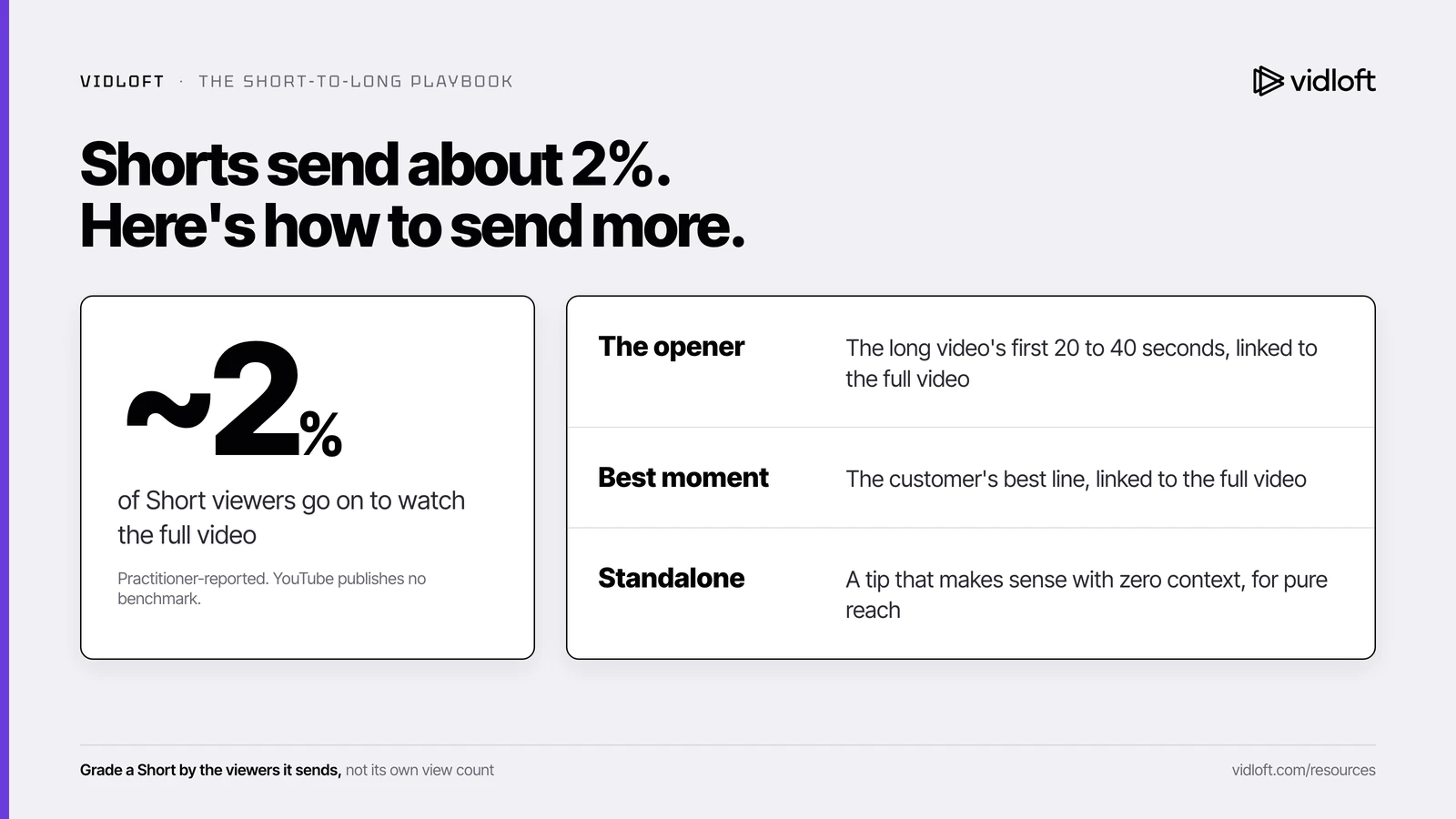
Not many. Marketers who track it report that only about 1 to 2% of Shorts viewers click through to the full video, because Shorts viewers swipe while long-form viewers choose. To move more of them, cut each Short from the long video's strongest 20 to 40 seconds, attach it with YouTube's Related video link, and judge it by how many people it sends to the full video, not by its own views.
The cutdowns did 11,000 views. The story did 212.
The customer story took six weeks. Two plant visits, one legal review, and a CEO who wanted "more energy" in the B-roll.
The agency also delivered five vertical cutdowns. Social posted them as Shorts. A month later they have 11,000 views between them, and somebody puts that number in the monthly report with a rocket next to it.
The full customer story, the one sales actually needs, has 212 views.
That's not bad luck. That's roughly the normal rate. Your 30-second cutdowns are sending about 2% of viewers to the full customer story.
So what? A Short is a trailer, and most trailers don't sell the ticket. That doesn't mean you stop making them. It means you cut them on purpose, connect them to the long video, and grade them on the right number. Here's how.

Why so few Shorts viewers click through
Shorts viewers and long-form viewers find videos in different ways, so a big Shorts audience doesn't turn into a long-form audience on its own.
A long-form viewer chooses. They see a thumbnail and a title, decide the video is worth six minutes, and tap. A Shorts viewer swipes. The next video just plays. YouTube's Shorts product lead has described the two feeds in exactly those terms, and YouTube's own blog now sorts Shorts audiences into groups that include Shorts-only viewers.
So you're asking a swiper to stop, tap a small link and commit to six minutes. Big ask.
We read thousands of threads where marketers trade notes on what they've actually tested, and the transfer rates they report cluster around 1 to 2%. One creator reported Shorts with about 1,600 views sending roughly 40 clicks to his long videos. Those are field reports, not a YouTube benchmark.
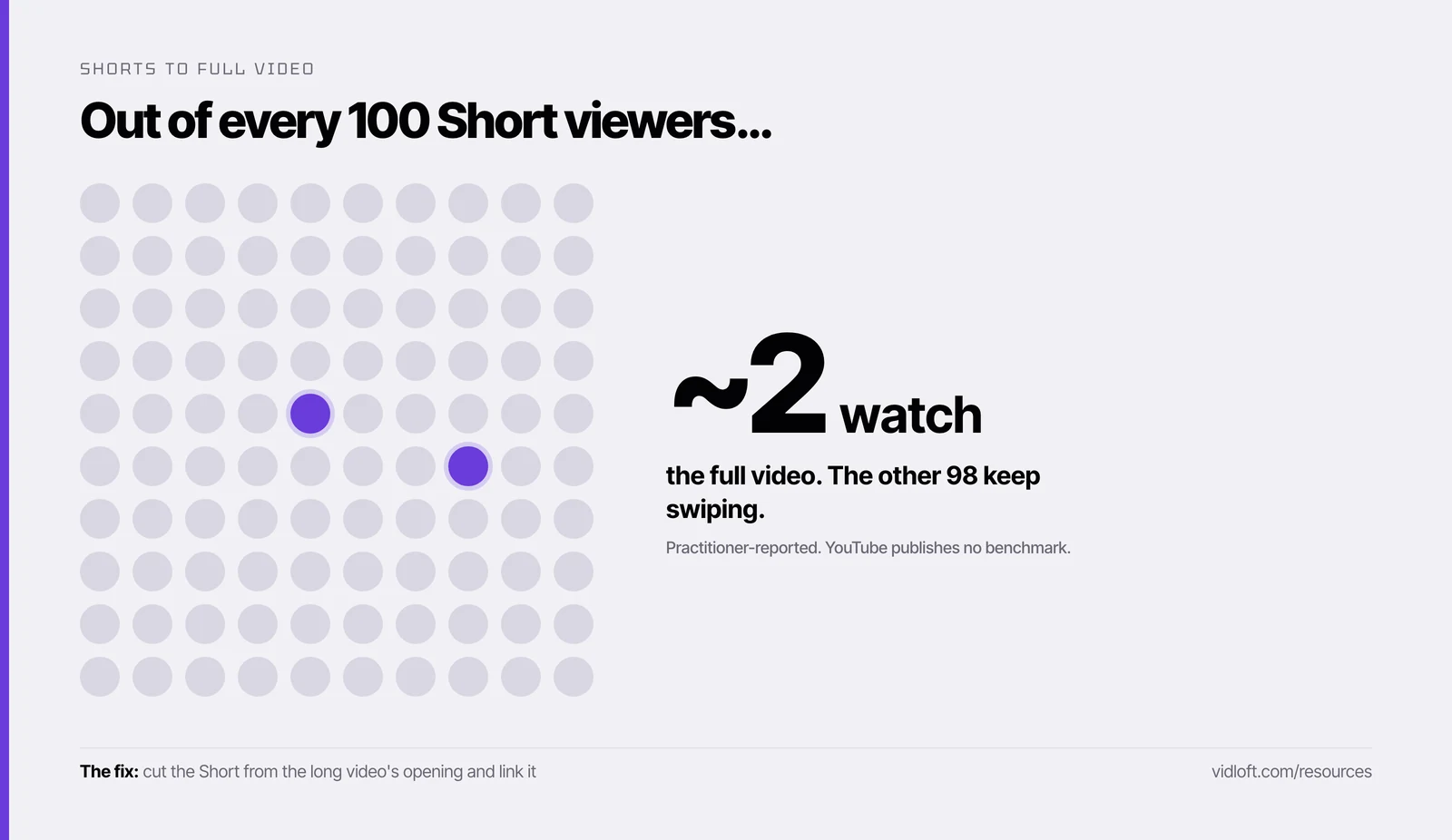
Two percent of a big number is still something. It's just not the number in the report.
Can Shorts hurt the long video?
YouTube says no. Some practitioners say Shorts can make a long video's launch numbers look worse. Both can be true.
YouTube's Help Center is direct about this: Shorts performance doesn't drag down long-form recommendations, and Shorts "can help with audience discovery but can't hurt your Video performance." We take that at face value.
The complaint we see from practitioners is narrower. Shorts can pile up subscribers who came for 30 seconds and have no interest in eight minutes. When the next long video goes live, those subscribers see it and don't click. Several teams report the long video's click-through rate at launch sagging as a result.
Whether YouTube's system cares about that dip is unproven. Your dashboard cares. A launch-day click-through rate dragged down by Shorts subscribers can push you to swap a perfectly good thumbnail. (Our post on the backup title and thumbnail plan covers when a swap is actually warranted.)
Now the counter-evidence, because it's real. Back in 2022, YouTube reportedly started letting recommendations consider recent long-form videos from channels a viewer watches in Shorts. Some practitioners now report YouTube testing a Shorts viewer's homepage with their long videos, and a few saw modest lifts. So Shorts aren't useless as a bridge. They're a narrow bridge, and the link does most of the work.
Shorts probably won't hurt your long video in YouTube's eyes. They can still hurt it in your boss's eyes, if the only number anyone reads is the Shorts view count.
The Short-to-long playbook
Give every Short one job, either reaching new people or sending people to the full video, and grade it on that job only.
| Short | Its job | Cut it from | Link it? | Grade it by |
|---|---|---|---|---|
| The opener | Send viewers to the full video | The long video's literal first 20 to 40 seconds | Yes, to the full video | Views the long video gets from Shorts, divided by the Short's views |
| The best moment | Send viewers to the full video | The strongest 20 to 40 seconds (the customer's best line, the before and after) | Yes, to the full video | Same transfer rate, plus whether the long video's retention holds for those arrivals |
| The standalone | Awareness: reach people who've never heard of you | A tip, number or moment that makes sense with zero context | Optional | Views, average percentage viewed, and the share of viewers who chose to watch instead of swiping away |
Two rules come with the table. Never grade an opener by its own view count. Never grade a standalone by how many people it sent to the full video.
How to cut three Shorts from one customer-story shoot
Plan the Shorts before the camera rolls, fix the long video's opening, then link the two bridge Shorts to the full story.
- Plan the three before the shoot. Add two lines to the shoot brief: "a 20-second answer to what changed?" and "one moment we can show without explaining it." That's your best-moment Short and your standalone. Frame interviews with room to crop to vertical.
- Fix the long video's opening first. The opener Short is the long video's first 20 to 40 seconds, so those seconds have to earn it. Open on a spoken line that names the viewer and the problem, and move the logo to the end. (Here's what to say in the first seconds.) YouTube's own creator guidance says the long video should pay off the Short's topic within the first 5 to 10 seconds.
- Cut the opener. Same words, reframed vertical, with captions on screen. End on the open question, not the answer.
- Cut the best moment. 20 to 40 seconds. In the last few seconds, say out loud that the full story is linked and point to where the link sits. Shorts can now run up to three minutes, but a bridge Short does its job in under one. Keep licensed music off anything longer than a minute, because YouTube blocks Shorts over one minute that carry an active copyright claim, everywhere.
- Cut the standalone. It has to make sense to someone who will never see the full video.
- Publish the long video first, then link. YouTube's Related video link points only to public or unlisted videos on your own channel, and your channel needs advanced features turned on. After uploading each Short, open YouTube Studio, go to Content, click the Short, choose the long video under Related video, and save. The link appears under your channel handle in the Shorts player. Do this for the opener and the best moment.
- Space the Shorts out. Release one every few days instead of all three on launch day, so you can tell which one actually moved people.
How to read the numbers in YouTube Studio
Grade bridge Shorts on the views they send, which show up on the long video's traffic sources.
- Open the long video in YouTube Studio, go to Analytics, then the Reach tab, and find the traffic source called Shorts. YouTube defines it as traffic from the Shorts vertical viewing experience, which is where viewers arriving from your Shorts land.
- Divide those views by the total views of the linked Shorts over the same window. That's your transfer rate.
- Then open the Shorts analytics in YouTube Studio for each Short. If your Studio reports clicks on the Related video link, use that number per Short. If it doesn't, the traffic-source math above does the job (it just lumps your Shorts together).
Check at day 7 and day 28:
- Around 1 to 2%: in line with what practitioners report. Keep going.
- Under 1% after a week: recut from a different moment. Don't repost the same clip.
- Well above 2%: whatever that clip did, open your next long video the same way.
When not to bother with Shorts
- Your long video opens with a logo. Fix the opening first. Don't send your hard-won 2% into a logo sting.
- Your buyers fit in a spreadsheet. The swipe feed is broad. If the people you need are 300 named accounts, a rep emailing the full video to the right 50 beats any Short. That's the core of our 72-hour launch plan.
- The footage leans on licensed music. Over a minute with an active copyright claim, the Short gets blocked.
- Each Short needs its own three-week legal review. Get the cutdowns approved alongside the main edit, or skip them.
- Nobody will own the link and the numbers. An unlinked Short graded on views is a vanity metric with extra steps.
The Vidloft take
Shorts aren't a growth hack for your customer story. They're trailers.
That's fine, as long as you cut them from the best part, point them at the full video, and stop celebrating the wrong number.
The cheapest time to get three good Shorts is the day the long edit gets made. If you work with us, ask for the cutdowns in the same request as the main edit. Same footage, same approval round. (More on making more video without hiring a team.)
Frequently asked questions
Do YouTube Shorts hurt long-form videos?
YouTube says Shorts performance doesn't hurt long-form recommendations. Some practitioners report that Shorts-only subscribers lower a long video's launch-day click-through rate, which is a reporting problem more than a proven ranking one.
How do I link a YouTube Short to the full video?
In YouTube Studio, go to Content, click the Short, choose the full video under Related video, and save. The linked video must be public or unlisted and on your own channel, and your channel needs advanced features turned on.
What percentage of Shorts viewers go on to watch the full video?
Practitioners commonly report 1 to 2%, and YouTube doesn't publish a benchmark. Measure your own by dividing the long video's views from the Shorts traffic source by the views on the Shorts linked to it.
How long can a YouTube Short be?
Up to three minutes for square or vertical videos uploaded since October 15, 2024. Shorts over one minute with an active copyright claim are blocked, so keep licensed music off the longer ones.
Should B2B companies bother with YouTube Shorts?
Yes, if there's a long video worth sending people to and someone owns the link and the numbers. If your buyers are a few hundred named accounts, sending them the full video directly usually works harder than any Short.
Stop Editing.
Start Scaling.
Your content backlog is a goldmine.
Let us help you mine it.