The YouTube Title and Thumbnail Backup Plan: Approve It Before Launch
Get a backup title and thumbnail approved in the same packet as the main ones, with a written swap rule (for example, swap if click-through is under about 3% after a few hundred impressions), so the swap takes minutes instead of a week of brand and legal review. Then refresh older videos a few at a time, never the whole library at once.
Ten times the clicks, almost none of the views
One creator reported repackaging 61 of his videos over a few days. New titles, new thumbnails. His click-through rate jumped from about 1.2% to around 12%.
Then his impressions nearly vanished across the whole channel.
Hold that thought. It's the one way this habit backfires.
The habit itself is simple. Have a backup title and thumbnail ready before launch, and swap if the first one flops. Creators do it in an afternoon. At a big company, it goes more like this.
Tuesday, 10 a.m. The customer story goes live. At noon you open YouTube Studio and the click-through rate reads 1.4%. Somebody says the obvious thing: "Let's try a different thumbnail."
Design mocks one up by lunch. Brand wants the logo bigger. Legal asks whether the customer approved that photo. The plant manager in the shot is on vacation. The new thumbnail goes live the following Wednesday.
By then the launch is over. Nobody is around to see whether the fix worked.
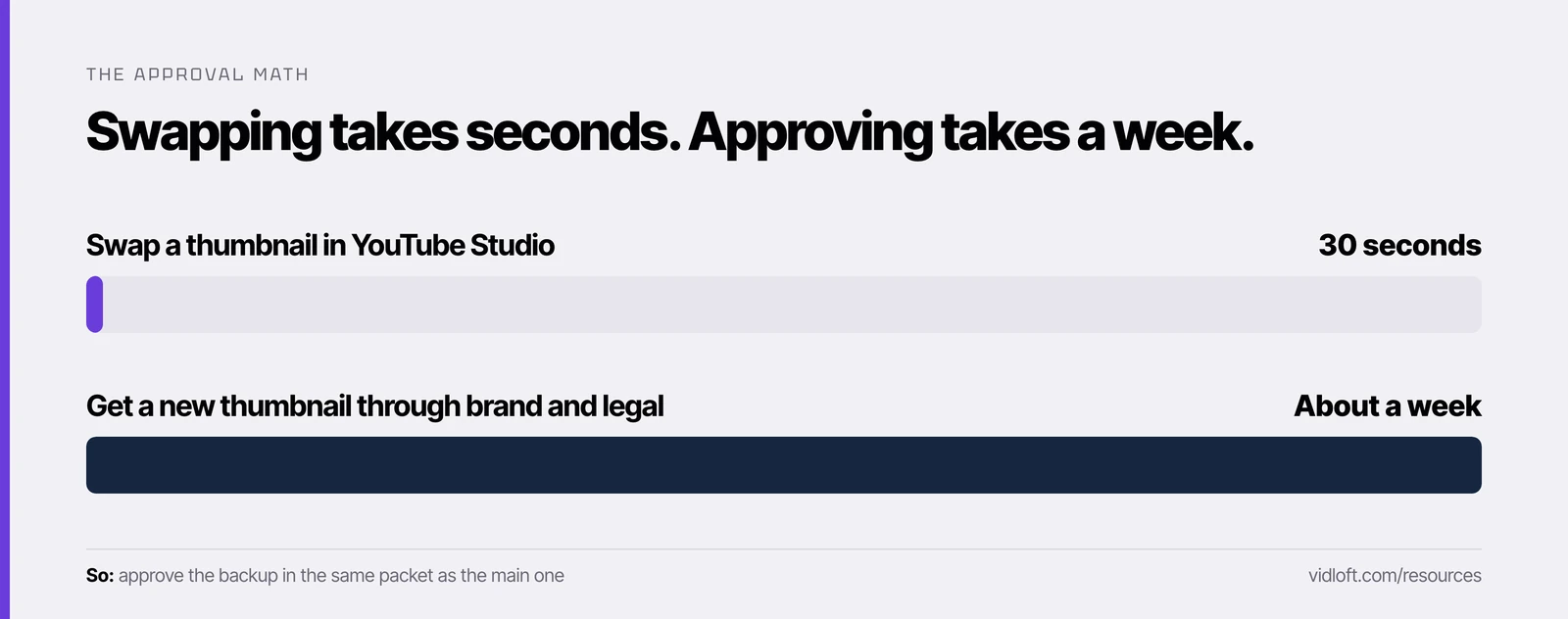
So what? The swap was never the hard part. Changing a title or thumbnail after you publish takes about 30 seconds in YouTube Studio. The approval takes a week. So approve the backup before launch, in the same packet as the main one, along with the rule for when to use it.

Why the first two hours matter
Click-through rate tells you early whether the packaging is working, and a fix only helps while YouTube is still showing the video to people.
Click-through rate here means impressions click-through rate: how often people who saw your thumbnail on YouTube went on to watch. It lives in YouTube Studio under Analytics, then the Content tab, or on the Reach tab inside a single video's analytics. YouTube only counts an impression when the thumbnail is on screen for more than a second with at least half of it visible.
What's normal? YouTube says half of all channels and videos land between 2% and 10%, and that new videos with fewer than 100 views swing even wider.
We read thousands of threads where marketers trade notes on what they've actually tested, and one habit keeps showing up. Practitioners prepare two complete title-and-thumbnail packages before upload. If click-through is under about 3% after the first two hours, they swap to the backup. They also report that a weak start isn't fatal: after a new title or thumbnail, YouTube seems to give the video another round of testing with fresh viewers. YouTube hasn't confirmed that, so treat it as a field report.
Two caveats before you adopt the 3% line:
- Wait for a few hundred impressions. At hour two, a niche B2B video might have been shown 80 times. That's a coin flip, not a verdict.
- Use your own channel as the yardstick. If your channel usually runs at 4%, a video sitting at 2% is a problem. If it usually runs at 2.5%, it isn't.
Test & Compare or a manual swap?
If you can run YouTube's built-in test, run it. Either way, the alternatives have to be approved before launch.
YouTube's Test & Compare tries up to three titles, thumbnails or combinations on one video. It picks the winner on watch time, not clicks, and should finish within two weeks.
| Test & Compare | Manual swap at hour two | |
|---|---|---|
| Decides on | Watch time | Your written click-through rule |
| Speed | A few days, up to two weeks | Hours |
| Needs | Advanced features, Studio on a computer | Studio access |
| Premieres | Only after the Premiere ends | Anytime |
| Best for | Learning which packaging holds viewers | Rescuing a weak launch |
| Brand must approve before launch | All two or three variants | The main and the backup |
One honest note on the manual swap. YouTube's help page cautions that click-through differences between titles or thumbnails on the same video can come from where the traffic came from, not the packaging. So a manual swap is a rescue, not an experiment. If you want to learn what works, that's Test & Compare's job.
Now look at the bottom row. Both routes break the same way at a big company: nobody can launch a variant until it clears review. That's what the packet fixes.
The pre-approved packaging packet
One page, approved once, covering the main packaging, the backup, the swap rule and who can pull the trigger.
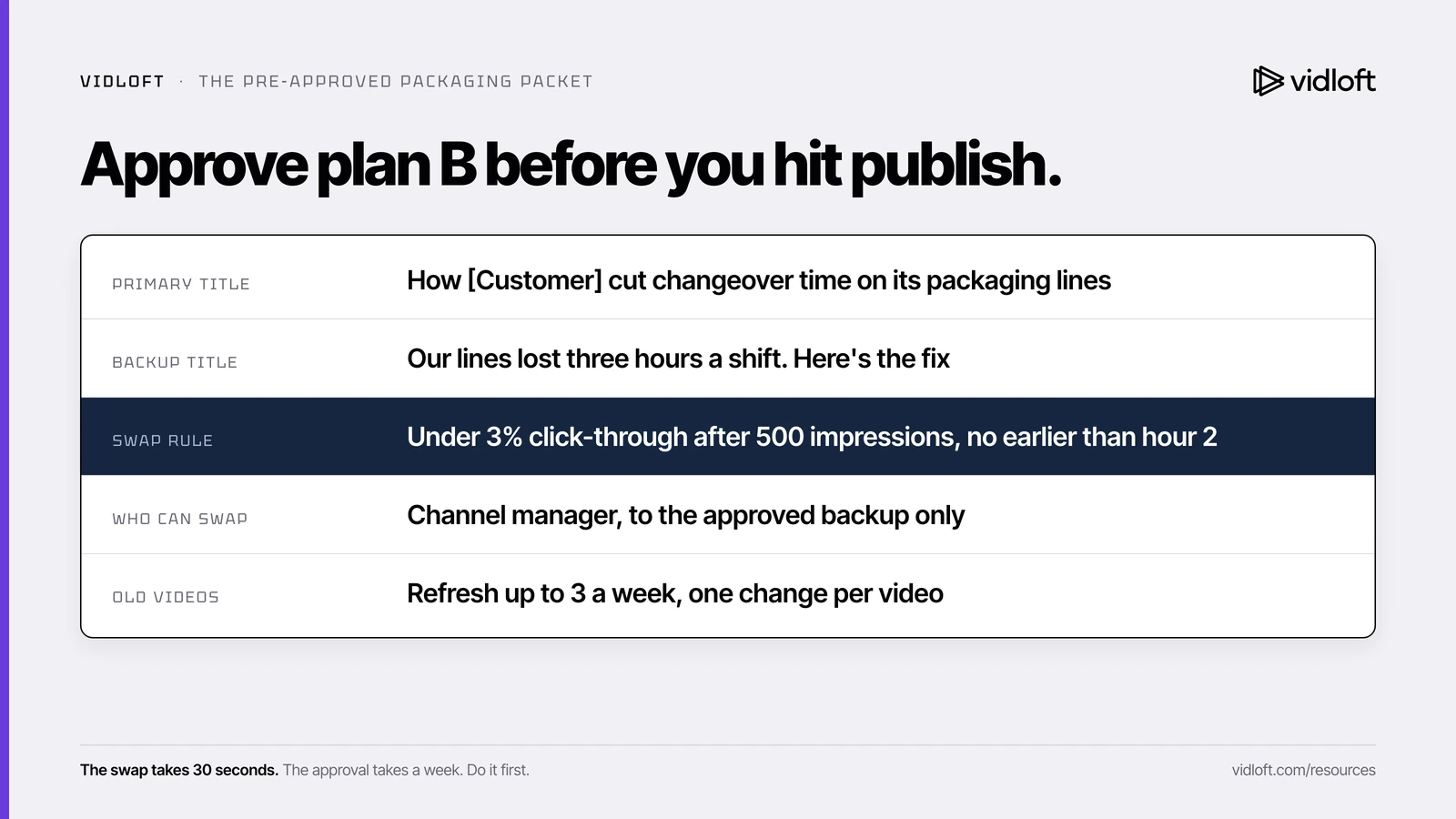
Paste this into your approval workflow as a required attachment for every YouTube upload. Brand and legal sign the whole page, not just the main thumbnail.
| Field | What to fill in | Example |
|---|---|---|
| Primary title | The title you launch with | How [Customer] cut changeover time on its packaging lines |
| Primary thumbnail | File name plus a one-line description | Plant manager at the line, product in hand |
| Backup title | A different angle, not a reworded primary | Our lines lost three hours a shift. Here's the fix |
| Backup thumbnail | A different image, not a recolor | Close-up of the changeover, before and after |
| Swap rule | "Swap if click-through is under X% after Y impressions, checked no earlier than hour Z" | Under 3% after 500 impressions, no earlier than hour 2 |
| Who can swap | The one role allowed to swap without new approval | Channel manager, to the approved backup only |
| What still needs approval | Anything not on this page | Any new title, image or claim goes back through review |
| Refresh cadence for old videos | How many older videos can be repackaged per week | Up to 3 a week, one change per video |
| Sign-offs | Names and dates | Brand, legal, video owner |
Three rules make the packet work:
- The backup is a real alternative. A different angle and a different image. Blue text swapped for yellow text teaches you nothing.
- Both packages are honest to the video. YouTube warns against clickbait, and legal should be as comfortable with the backup as with the main.
- Clear people and claims once. If a customer or employee appears in either thumbnail, get the release to cover both images at the same time. (Stuck on real face versus polished render? Here's why the prettier thumbnail often loses.)
The packet slots straight into the hour-two row of our 72-hour launch plan.
The 61-video warning
Repackage one video at a time. Practitioners who repackaged a whole library at once report losing reach across the entire channel.
Back to our creator. Ten times the clicks sounds like a win. Losing the channel's reach is not.
That's one person's report, and we can't see his data. But YouTube's own help page describes a pattern that looks a lot like it. High click-through with low viewing time and lower-than-expected impressions, it says, are signs of clickbait. If 61 new titles promise more than the videos deliver, viewers click, leave, and the system learns to stop showing them.
Other practitioners land on the same fix. Refresh old videos a few at a time, never the whole library at once.
The enterprise version of this mistake is the rebrand. New brand guidelines land, and someone books an afternoon to update every thumbnail on the channel. Please don't.
How to refresh an old library safely
A few videos a week, starting with the ones YouTube already shows the most and people click the least.
- Pull the list. In YouTube Studio Analytics, get your videos side by side with impressions and impressions click-through rate for the last 90 days.
- Pick the candidates. Sort by impressions, highest first. Flag videos with lots of impressions and a click-through rate well below your channel's usual rate. They're already being shown, so better packaging has the most room to help.
- Skip the winners and the ghosts. A video that already clicks well doesn't need help. A video with almost no impressions has a bigger problem than its thumbnail.
- Change up to three a week. One change per video (title or thumbnail, not both), so you can tell what moved.
- Log it. Video, date, old package, new package, and the prior week's click-through and impressions.
- Wait one to two weeks, then judge. If impressions and viewing time hold or rise, keep it. If impressions drop, revert.
- Watch the channel, not just the video. If total channel impressions fall two weeks running, pause the refresh until they recover.
The Vidloft take
Fast edits are nice. Fast decisions are the real win.
Most enterprise video teams treat approvals as weather, something that happens to them. The good ones design around it. They approve plan B before they need it, write down who can use it, and nobody has to call a meeting at hour two.
It's the same reason the teams shipping the most video aren't the ones with the biggest crews. They decide once, then move fast.
Frequently asked questions
Can you change a YouTube title or thumbnail after the video is published?
Yes. In YouTube Studio, open Content, click the video's title or thumbnail, edit the details and select Save. At a big company the slow part is the approval, which is why the backup should be signed off before launch.
What is a good click-through rate for a company YouTube video?
YouTube says half of all channels and videos have an impressions click-through rate between 2% and 10%, with new videos swinging wider. Judge each video against your own channel's usual rate, not a universal number.
When should we swap to the backup thumbnail?
One practitioner rule of thumb is to swap if click-through is under about 3% after the first two hours. Wait until the video has a few hundred impressions first, because early numbers on a small B2B video are mostly noise.
Should we use Test & Compare instead of swapping by hand?
If your channel can run it, yes. Test & Compare tries up to three titles or thumbnails and picks the winner on watch time, but it can take up to two weeks, so a pre-approved backup is still useful for rescuing a weak launch.
Is it safe to update the thumbnails on our whole YouTube library after a rebrand?
Not all at once. Practitioners report channel-wide drops in impressions after mass repackaging, so change up to a few older videos a week, one change per video, and revert anything that loses impressions.
Stop Editing.
Start Scaling.
Your content backlog is a goldmine.
Let us help you mine it.