What to Say in the First Seconds of a YouTube Video (Hint: Not Your Logo)
In the first few seconds of a YouTube video, say out loud who it's for, their problem in their own words, and what they're about to see, then move the logo to the end. YouTube turns speech into automatic captions and grades your intro on who's still watching at 30 seconds, so a music-and-logo opening gives viewers, and likely the platform, nothing to go on.
The five seconds nobody asked for
The new customer film goes live. Here's how it opens.
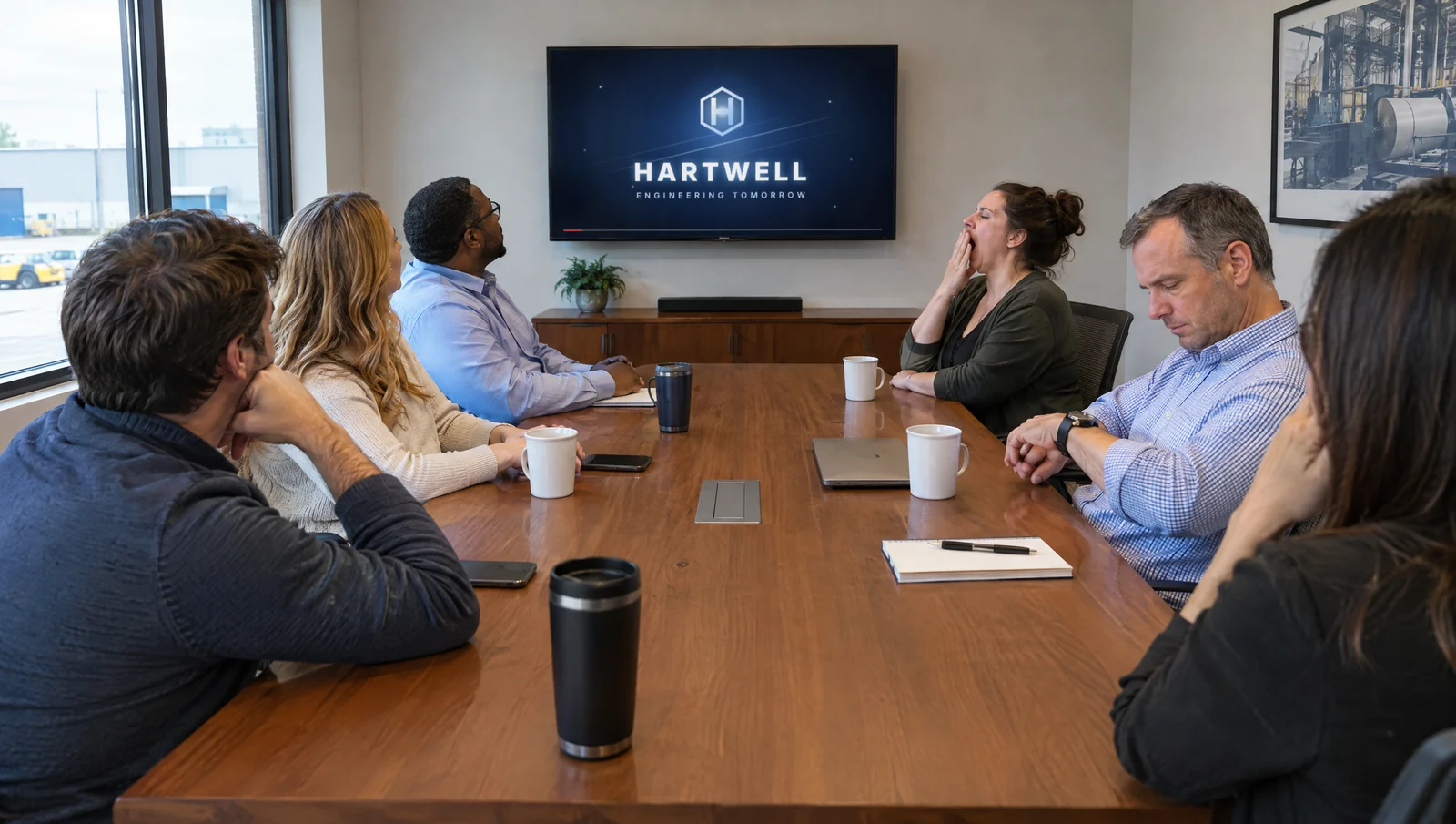
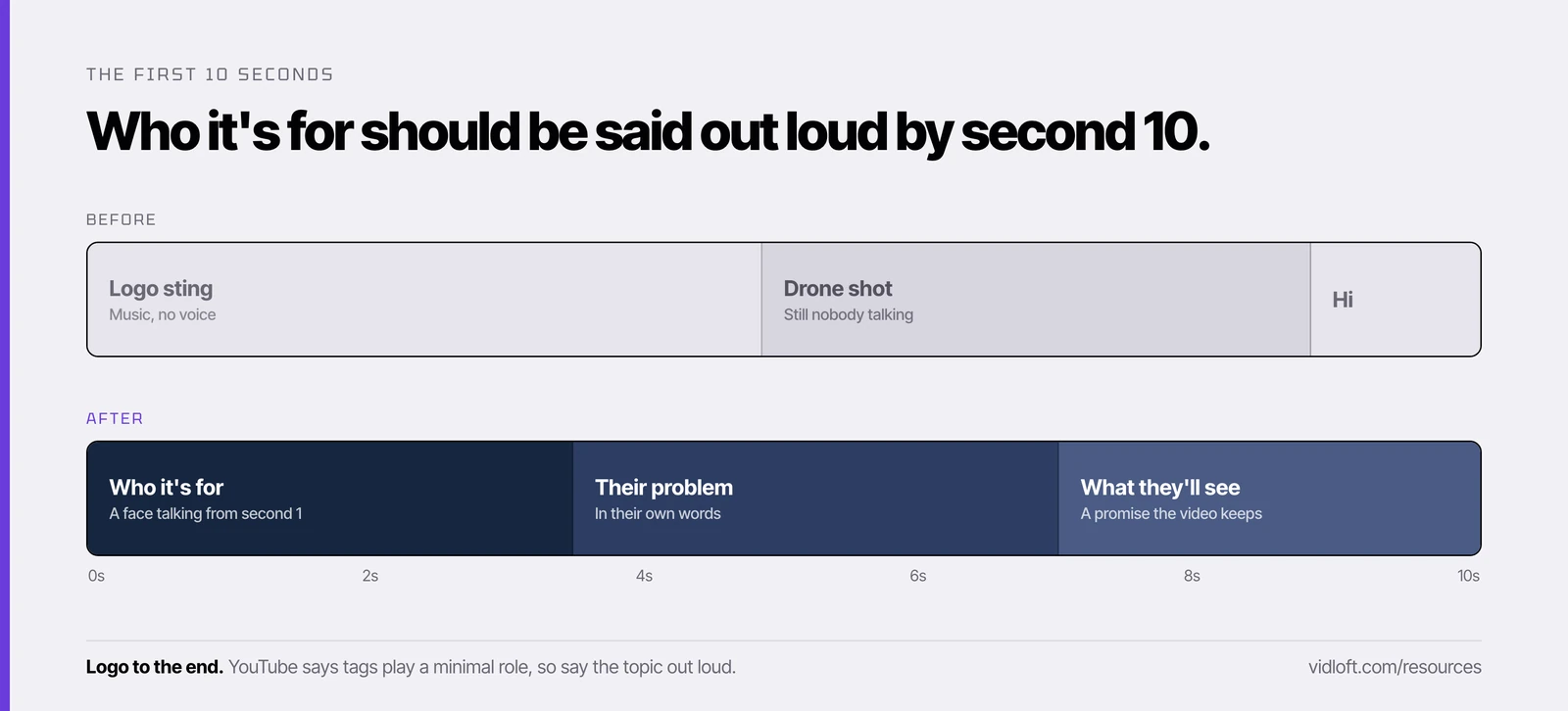
A low synth swell. The logo assembles itself out of glowing particles. It rotates. It glints. Then a drone glides over the plant at sunrise. At second 12, someone finally speaks: "At [Company], partnership is in our DNA."
The plant manager you made it for swiped away at second four.
Congratulations. You've made a very expensive screensaver.
So what? That opening fails twice. The viewer gets no reason to stay. And YouTube gets nothing to go on about who the video is for, at the moment practitioners believe matters most.
Before Vidloft, I ran a video production company. We built plenty of those logo openers, because clients asked for them. I'd take most of them back.
Here's what to say instead, five rewrites you can steal, and a checklist for the first 10 seconds.
What YouTube can learn from your first sentence
YouTube turns speech into text, puts little weight on tags and grades your opening on whether people stay. A logo animation helps with none of that.
Three things YouTube does publish:
- It listens. YouTube can create automatic captions using speech recognition. Your spoken words become a transcript. Music and a logo become nothing.
- Tags barely count. YouTube's own help page says tags play "a minimal role" in discovery, and that the title, thumbnail and description matter more.
- It grades the opening. The audience retention report in YouTube Studio has an "Intro" key moment: the share of viewers still watching after the first 30 seconds. When that number is weak, YouTube's advice is to make sure the title and thumbnail match the video and to rework the first 30 seconds.
Now the part YouTube hasn't confirmed. We read thousands of threads where marketers trade notes on what they've actually tested, and a belief that keeps coming up is that YouTube reads the auto-generated transcript to work out who a video is for, and who to show it to first. YouTube hasn't said so. Treat it as a reasoned bet, not a rule.
But look at what the bet costs. If the practitioners are right, a spoken first line hands the system a plain-English description of your audience. If they're wrong, you've still told a human viewer, in five seconds, why this video is for them.
There is no version where the spinning logo wins.
The first-line formula
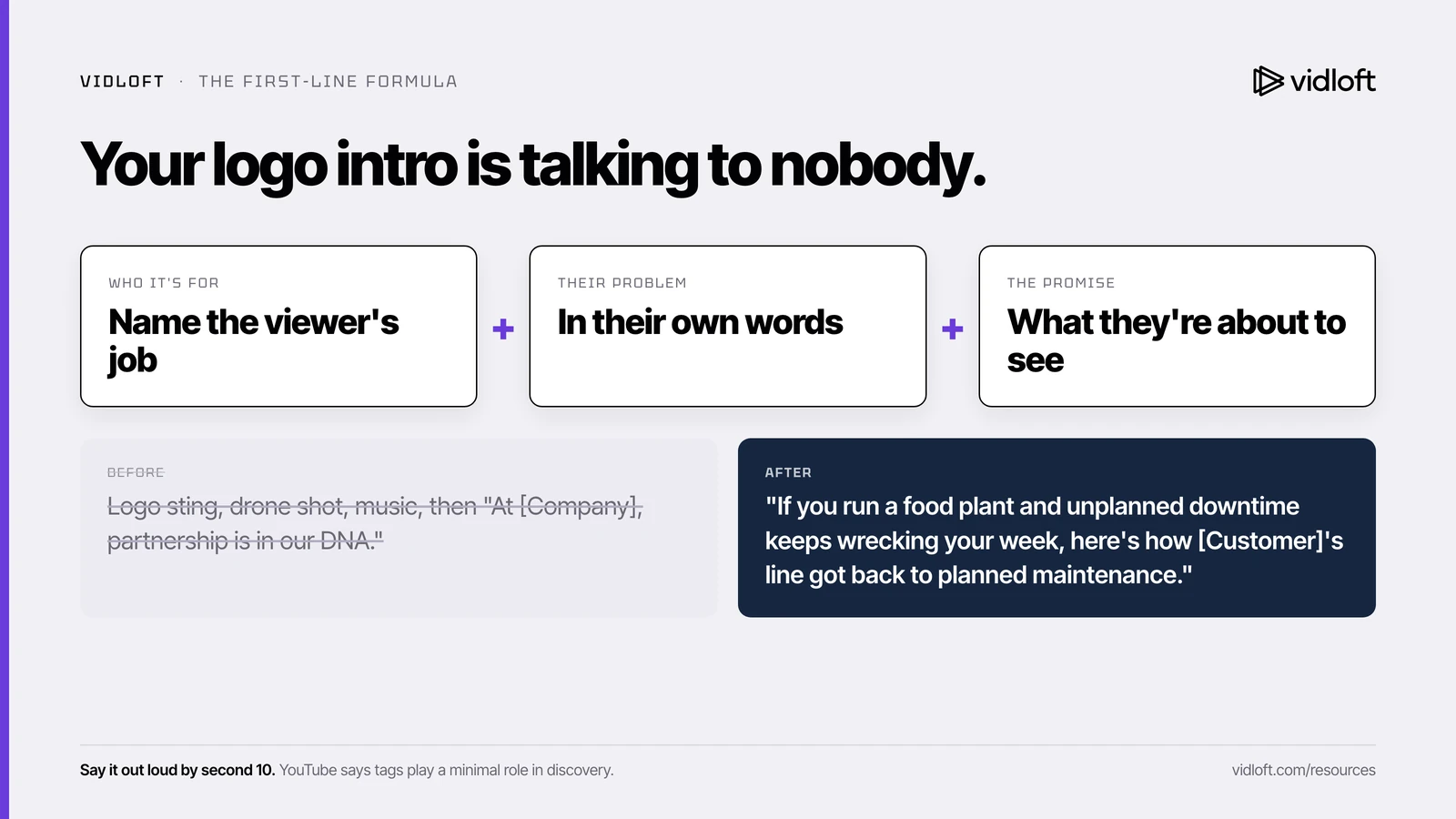
Who it's for, plus their problem in their words, plus what they're about to see. Say it out loud in the first few seconds.
Three parts, one sentence:
- Who it's for. Name the viewer by job, not by vague category. "Plant managers." "Maintenance techs." "Forklift operators." When the right person hears their own job title, they stay.
- Their problem, in their words. The words they'd use at a shift meeting or type into a search bar. "Changeovers are eating our shifts," not "operational efficiency challenges." Your internal product name is not their words.
- What they're about to see. A promise the video keeps. "Here's how one plant fixed it." "This is a real first week." "Watch it run."
Three rules make it work:
- Say it, don't just show it. Automatic captions come from the audio. A slick on-screen title gives the transcript nothing.
- Keep it to about 15 seconds out loud. If it needs a second breath, cut a clause.
- Use the same words in three places. YouTube suggests picking one or two main words that describe the video and using them in both the title and the description. Make your spoken line the third place.
Five before-and-after rewrites
Same footage, new first line. Swap the brackets for your own details.
1. Customer story
- Before: Logo sting, drone shot, music, then "At [Company], partnership is in our DNA."
- After: "If you run a food plant and unplanned downtime keeps wrecking your week, here's how [Customer]'s line in [city] got back to planned maintenance."
2. Recruiting video
- Before: A title card that reads "Building Tomorrow, Today," then a montage of sparks and smiling hard hats.
- After: "If you're a machinist or a welder thinking about your next shop, this is what the first week on our floor in [city] actually looks like, told by people who just lived it."
3. Exec interview
- Before: "Hi, I'm [Name], Chief Operating Officer at [Company], and I'm thrilled to be here today."
- After: "If you buy castings from us and lead times have been slipping, I'm [Name], our COO, and here are the three things we changed so orders ship on the date we quote."
4. Product demo
- Before: Logo, whoosh, "Introducing the all-new [Product] Series."
- After: "Maintenance leads, if you're tearing down a gearbox just to check it for wear, watch [Product] flag the problem while the line keeps running."
5. Safety training
- Before: The safety program logo, three seconds of "Safety Is Everyone's Responsibility" on black, then music.
- After: "Forklift operators and anyone who works the dock, this is the pre-shift walkaround, step by step, so you can run it at the start of your next shift."
Notice what the "after" lines share. A job title in the first few words. A problem the viewer would say out loud. A promise the footage actually keeps.
None of them needs a reshoot. Most need one new line (voiceover, or a person on camera saying it) and a re-edit of the first 10 seconds.
Safety and recruiting videos often live on unlisted links or the intranet, so the YouTube side matters less there. The human side still holds. A forklift operator who hears "forklift operators" in second one looks up from their phone.
The first-10-seconds checklist
Run this on every video before it goes live. It takes five minutes and usually one re-edit.
| When | Check | Pass looks like |
|---|---|---|
| Second 0 | Logo moved to the end | The full logo animation plays as a sign-off. A small corner logo is fine if brand insists. |
| Second 0 | Title card off | No standalone slate, no "presented by," no mission statement on black. |
| Second 1 | A face or the product on screen | A person mid-sentence, or the product doing its job. Not a sunrise. |
| Seconds 1 to 3 | Someone is talking | The first line starts here. Music sits under the voice, not in front of it. |
| By second 10 | The full first line is said | Who it's for, their problem, what they're about to see. |
| Before publish | Same topic words in three places | The title, the first few lines of the description and the spoken line all use them. |
| After upload | Captions checked | Open the automatic captions and fix your product and company names. YouTube warns that accents, dialects and background noise can trip them up. |
Paste the table into your edit notes. If a video fails two rows, it isn't ready.
How to tell if it worked
Watch the Intro number in YouTube Studio, not the view count.
Open the video's audience retention report and find the Intro key moment, the share of viewers still there after 30 seconds. YouTube's typical retention view compares it with your 10 most recent videos of similar length. If the rewritten opening holds more people past 30 seconds, it's working.
If it doesn't, check the match. Per YouTube, a weak intro can mean the title and thumbnail promised something the first seconds didn't deliver. Our post on real faces versus polished thumbnails covers the packaging half of that.
Bonus: a strong first line also makes a strong Short. Here's why we cut the Short from the long video's opening.
The Vidloft take
The logo opener survives because nobody owns the first 10 seconds. Brand owns the logo. The agency owns the music. The exec owns the script. Nobody owns "who is this for, said out loud."
Give that job to one person on your next video. It's usually a re-edit, not a reshoot. And if getting that re-edit through approvals is the slow part, that's a workflow problem, not a headcount problem.
Say who it's for. Say their problem. Logo last.
Frequently asked questions
Does YouTube use the transcript to decide who sees a video?
YouTube can create automatic captions with speech recognition, but it hasn't confirmed that the transcript decides who a video is shown to. Practitioners believe it helps, and a clear spoken first line keeps human viewers either way.
Should a corporate YouTube video start with the company logo?
No. Play the full logo animation at the end as a sign-off, and use a small corner logo up front if brand guidelines require one. Open on a face or the product, with someone saying who the video is for.
How long should a YouTube intro be?
YouTube's retention report measures your intro as the share of viewers still watching after the first 30 seconds. Say the topic and the intended viewer within the first 10 seconds so you earn the rest of that window.
Do YouTube tags still matter?
Barely. YouTube says tags play a minimal role in discovery, mainly helping with commonly misspelled topics, and that the title, thumbnail and description matter more.
What if our video has no narrator, like a brand film or a b-roll montage?
Add one spoken line at the top, from a voiceover or a person on camera. Automatic captions come from the audio, so on-screen text alone gives the transcript nothing.
Stop Editing.
Start Scaling.
Your content backlog is a goldmine.
Let us help you mine it.